01
Start with the page
Choose a page size and add only what the learner needs. A blank page is a starting point, not a template you have to fight.
LessPrep Studio · LP Studio for short
LP Studio is a local Windows workspace for making worksheets and learner materials from editable pieces—not a stack of one-and-done generators.
In active development · Windows · Designed for local use
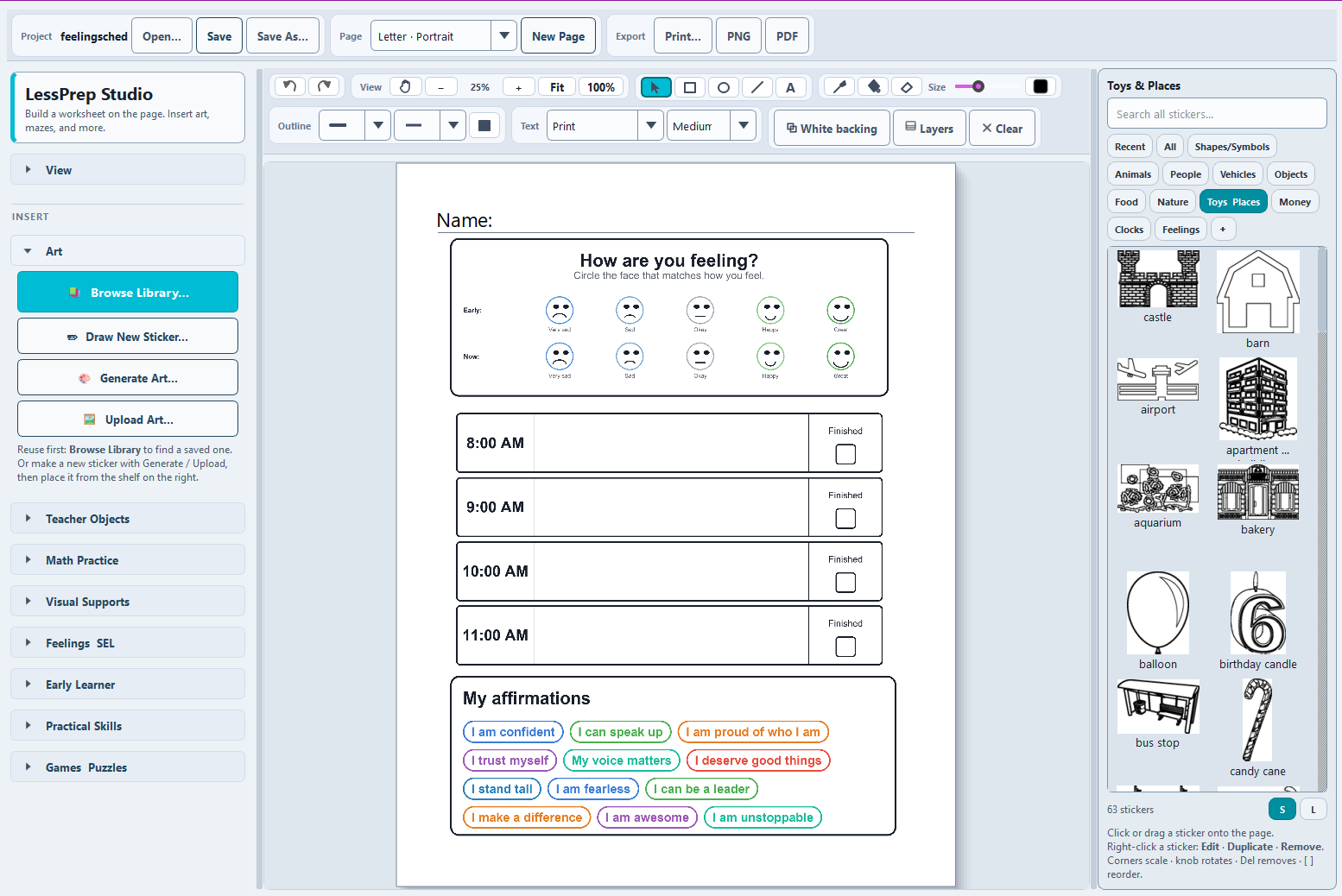
A real LP Studio project combining Feelings/SEL tools, a visual schedule, affirmations, and the searchable sticker library on one editable page.
One flexible workflow
01
Choose a page size and add only what the learner needs. A blank page is a starting point, not a template you have to fight.
02
Place text, shapes, activities, uploaded images, saved stickers, and generated art. Move, resize, duplicate, layer, or remove them as the page develops.
03
Keep the project editable for next time, or export a finished 300 DPI PNG or PDF for printing.
What belongs on the page
The useful part is not any single generator. It is being able to combine a clock, a direction, a picture, a text box, and a practice activity—and then change all of them without rebuilding the page.
Select, move, resize, duplicate, layer, and align page objects. Add marker ink, fills, and erasing for quick touch-ups.
Add items such as mazes, math practice, fractions, clocks, money, number lines, fact families, handwriting guides, and visual-support pieces.
Upload an image, remove its background locally, and save it as a reusable sticker. Search the sticker shelf when you need it again.
Create simple worksheet art on compatible Windows hardware without sending a prompt or learner material to a hosted image service.
Save an LP Studio project and reopen it later. Autosave and recovery help protect work during longer editing sessions.
Print directly or export Letter-size PNG and PDF pages at 300 DPI. Guides and the editing grid stay out of the finished page.
Local by design
LP Studio uses the SessionNest Runtime for supported local image and background removal workflows. You keep control of the project files, uploaded images, saved stickers, and exported pages.
Read about the local runtimeDevelopment status
The core canvas, project saving, reusable sticker library, local art generation, background removal, and print/export flow are working. Packaging, reliability, and the set of built-in learning objects are still being refined before broader access.
Get it now →